.png)
Send us a quick email with a brief explanation. We will respond and resolve the issue as soon as possible.
Submit ticketAssistant Quality Control & Verification
The Assistant provides transparency into its research and sources. Always verify important legal work using your professional judgment.
Reasoning
The Assistant displays its research and analytical process transparently through reasoning for every query. Reasoning is not limited to research tasks, it is available across all interactions to enhance transparency, problem-solving performance and personalization.
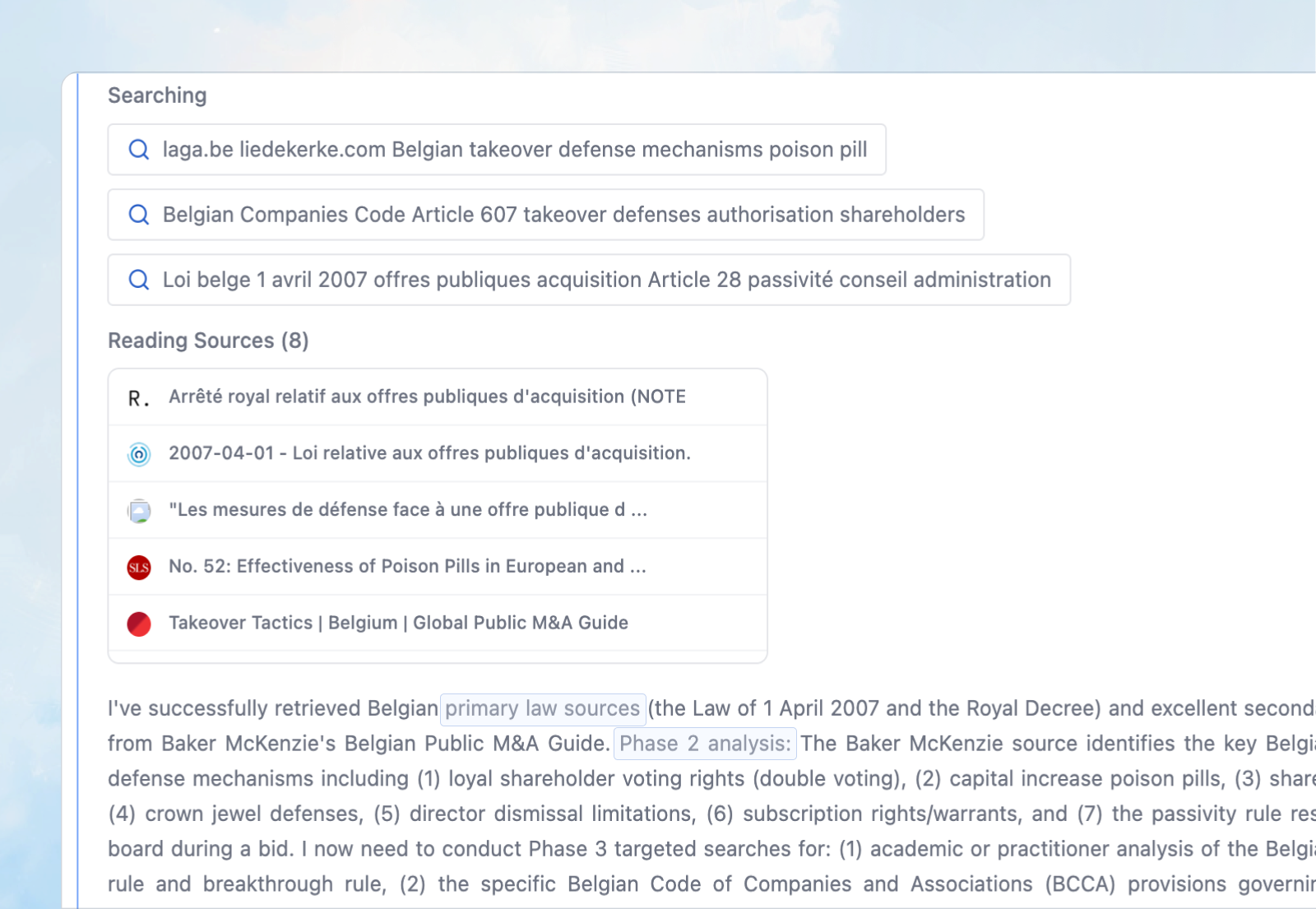
How reasoning enhances your work:
Problem-solving performance: The Assistant uses reasoning to break down complex questions, identify the key issues, determine the best approach, and structure multi-step analysis. This ensures more accurate and thorough responses to complex legal and business problems.
Personalization: Reasoning allows the Assistant to understand your specific context, adapt its approach based on your instructions, and tailor its analysis to your jurisdiction, practice area, and the unique circumstances of your matter.
Transparency across all queries: Whether you're asking for research, drafting, review, or any other task, you can see how the Assistant is thinking through your request and approaching the problem.
What reasoning shows:
Research process:
Which sources are being searched
What search queries are being used
What the Assistant found in each phase
How findings influence the next research steps
Analytical process:
Strategic analysis of what was found and what's still needed
How the Assistant is interpreting and applying legal sources
How the Assistant is combining external and internal sources
Why the Assistant chose a particular analytical approach
Why reasoning matters:
Transparency - You see exactly how the answer was developed, step by step
Verification - You can assess whether the research strategy was appropriate and thorough
Learning - You understand how AI reasons and the methodology applied to your question
Control - You can intervene with "Stop Reasoning" if the approach needs adjustment
Confidence - You can trust and evaluate the output because you've seen the work behind it
Using reasoning to improve results:
Review the reasoning to:
Identify if the Assistant searched the right sources
Check if the Assistant understood your question correctly
See if the Assistant needs additional context or direction
Understand how the Assistant prioritized different legal issues
Verify the logical flow from sources to conclusions
If the reasoning reveals a gap or misunderstanding, you can:
Click "Stop Reasoning" to redirect the research
Provide a follow-up question with additional context
Start a new query with more specific instructions
The "Reading Sources" Section in Reasoning:
In reasoning, you can always see all sources the Assistant accessed during research, even if not directly quoted in the answer. This shows the full research scope and allows you to explore additional materials the Assistant reviewed.
Citations
Every assertion is grounded in cited sources following OSCOLA (Oxford Standard for Citation of Legal Authorities) standards.
How citations appear:
Citations are numbered within the answer and appear as clickable references.
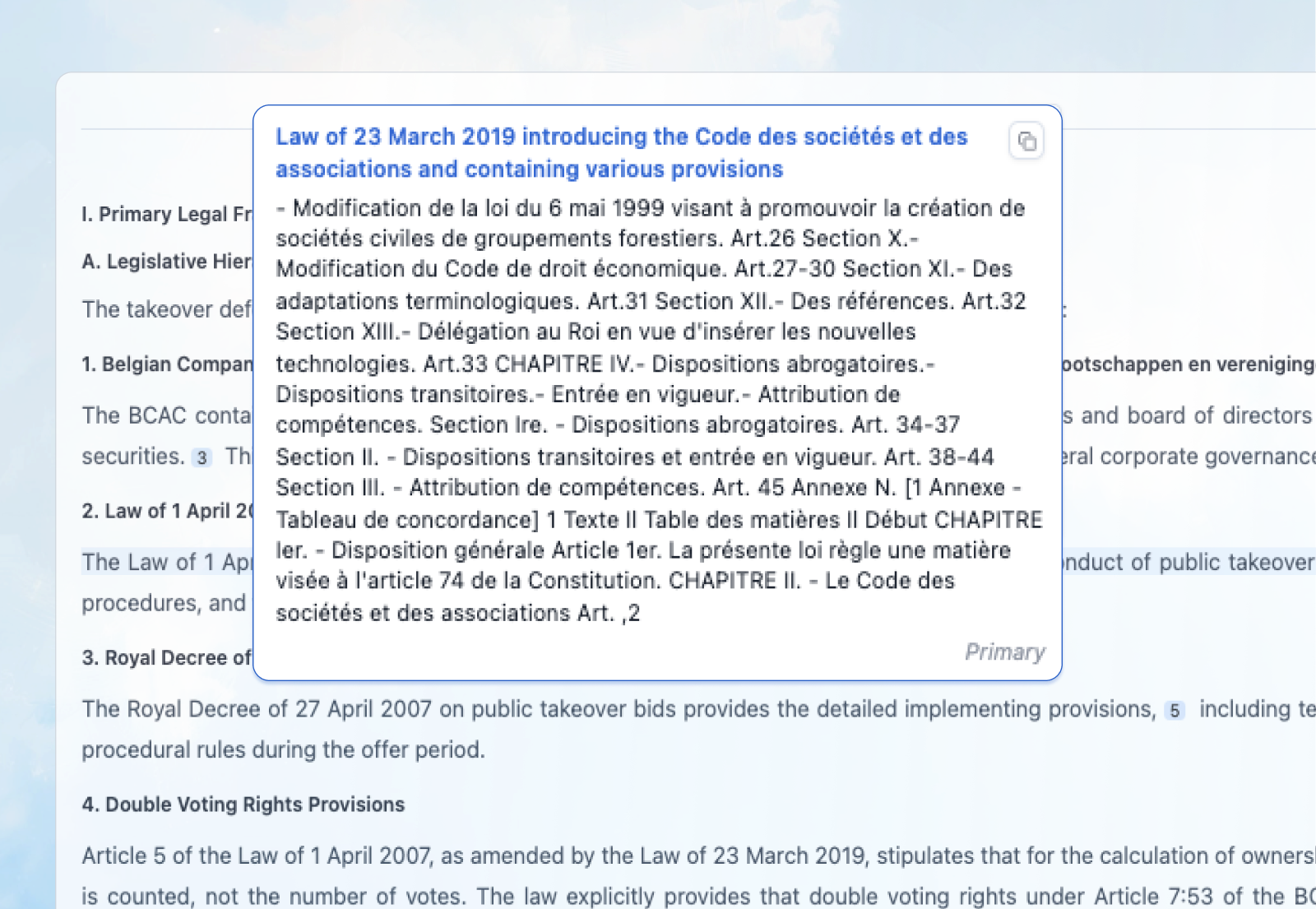
Below the answer, the full list of citations is provided with source classification and links.
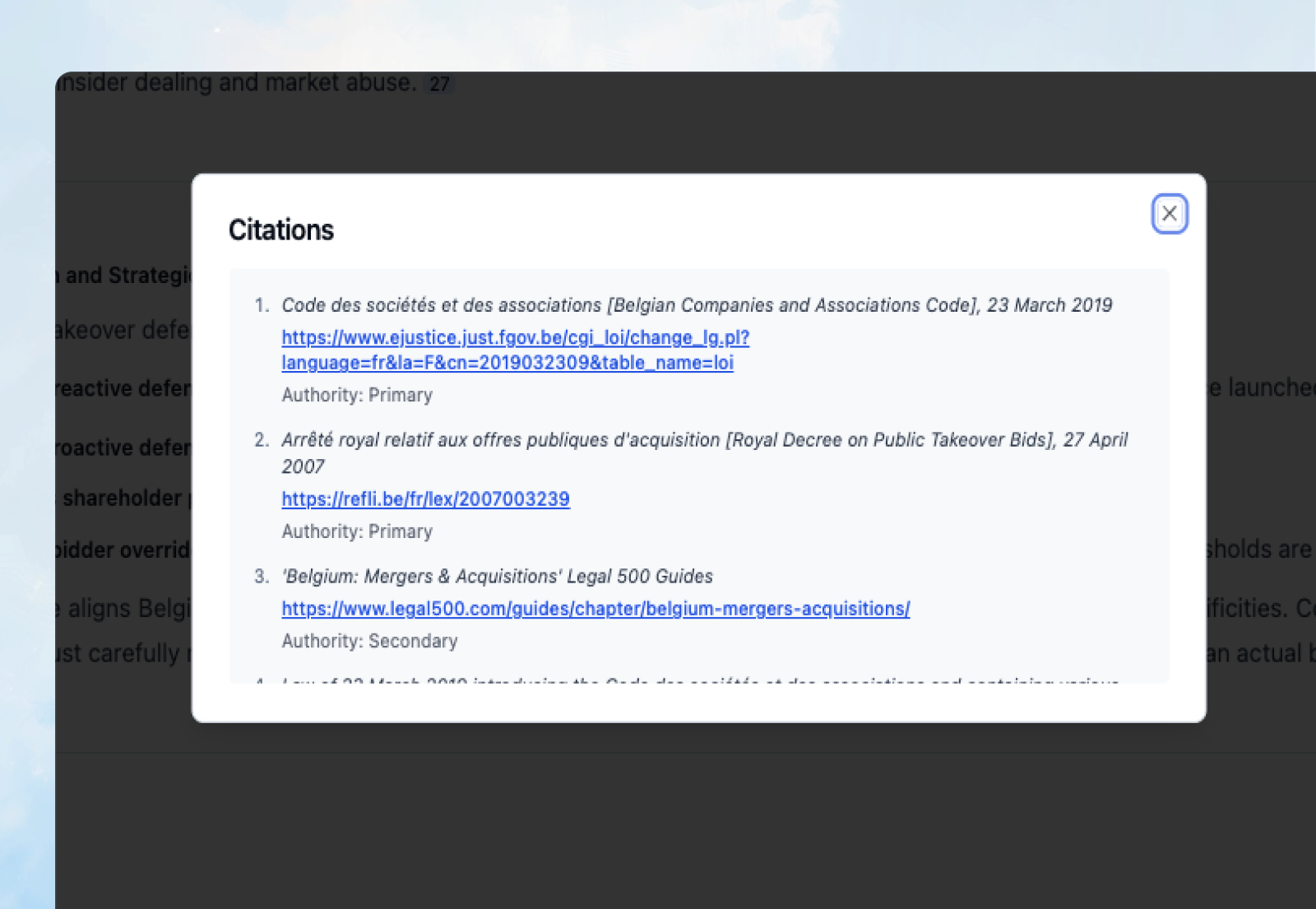
Source Classification:
All sources - whether from the web or your Library - are classified as:
Primary - Statutes, regulations, case law (binding legal authority)
Secondary - Commentary, guidance, articles, scholarly analysis (persuasive authority)
Accessing Sources:
Web sources: Click the citation link to access the original source directly on the web. This takes you to the legislation database, court website, or official publication where the Assistant found the information.
Library sources: Click the citation to open a document preview. You can view the relevant passage in context and navigate to the full document in your Library.
OSCOLA Citation Format:
The Assistant follows OSCOLA standards for legal citations:
Cases:
Corr v IBC Vehicles Ltd [2008] UKHL 13, [2008] 1 AC 884
Statutes:
Human Rights Act 1998, s 15(1)(b)
EU Legislation:
Council Regulation (EC) 139/2004 on the control of concentrations
between undertakings (EC Merger Regulation) [2004] OJ L24/1
Journal Articles:
Paul Craig, 'Theory, "Pure Theory" and Values in Public Law' [2005] PL 440
Books:
K Zweigert and H Kötz, An Introduction to Comparative Law
(Tony Weir tr, 3rd edn, OUP 1998)
How to Verify Citations:
Follow these steps to verify the Assistant's work:
Click the link to access the original source
Check the passage matches what the Assistant cited
Read surrounding context to ensure proper interpretation
Assess relevance using your professional judgment about application to your specific facts
Cross-check with your professional databases (Westlaw, LexisNexis, etc.) for critical work
Verification Checklist:
[ ] Did the Assistant cite primary sources for legal propositions?
[ ] Can I access those sources directly through the links or document preview?
[ ] Does the cited passage actually support the statement made?
[ ] Does the legal analysis align with my professional knowledge?
[ ] Are there gaps I need to fill with additional research?
[ ] Have I applied my professional judgment to the specific facts?
Professional Responsibility:
The Assistant remains an AI tool, not a replacement for professional judgment. You remain responsible for:
Verifying that cited sources support the analysis
Applying the law correctly to your specific facts
Exercising independent professional judgment
Complying with your professional and ethical obligations
Confirming critical findings in authoritative legal databases
The transparency provided through citations and reasoning enables you to work efficiently while maintaining full professional control and accountability.